
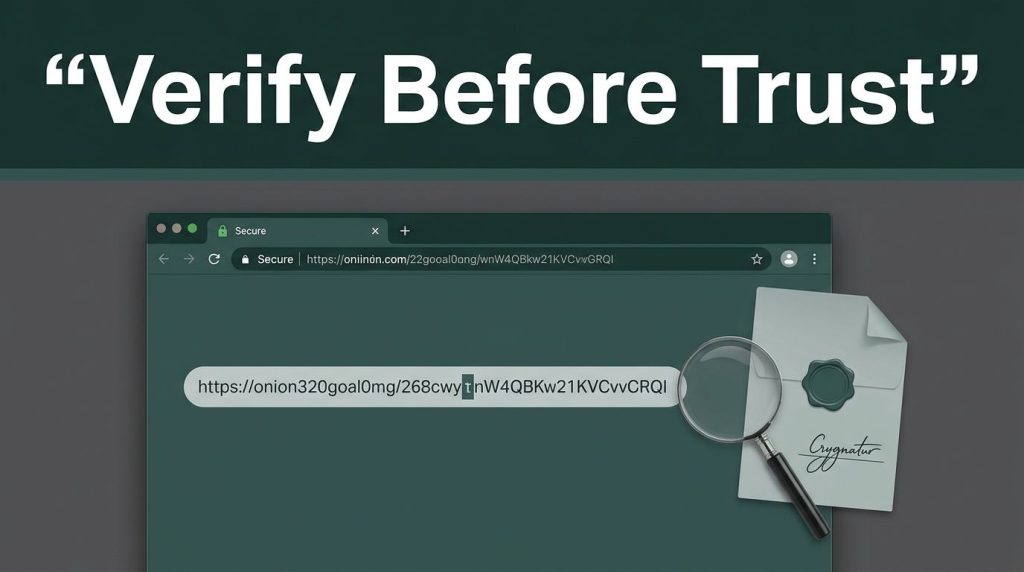
One changed character can send you to phishing sites that imitate an onion site. It may look familiar, load through Tor, and still be built to steal passwords, payments, or private messages.
If you want to verify onion links safely, check onion links before opening them. Start with the source, the full onion address, and any published cryptographic proof. A reachable onion service is not automatically trustworthy, and privacy or anonymous browsing does not prove its operator’s identity.
Key Takeaways
- Check the complete 56-character v3 onion address against an official clearnet source before opening it.
- Treat a reachable onion service, Tor Browser’s onion icon, or a link directory as evidence of availability—not proof of ownership or safety.
- Use PGP signatures and trusted key fingerprints when they are available, while remembering that a valid signature proves control of a key, not the operator’s identity.
- Visit unfamiliar onion services in observation-only mode: don’t log in, download files, upload data, connect a wallet, or make payments until the destination is independently verified.
- Keep private onion addresses out of public link checkers, and use a clean, verified Tor Browser installation with an appropriate security level.
What a Modern v3 Onion Address Can and Cannot Prove
An onion service is a website or service available through the Tor network, rather than the normal internet. The Tor Project’s overview of onion services explains that these services hide the network location of both the visitor and the server. Older materials may call these services “hidden services.”
Modern public onion services use v3 addresses, with an onion address containing 56 base32 characters before .onion. Under the v3 onion protocol, that hostname derives from an Ed25519 public key and related cryptographic material for use on the onion network. A legacy v2 address had only 16 characters; those services are obsolete and no longer work.
The format matters, but it answers only one question: does this look current? It doesn’t tell you who controls the onion service or reveal its physical onion location. A direct connection to it doesn’t use an exit node, and routing details still don’t authenticate the operator.
| Signal | What it tells you | What it cannot prove |
|---|---|---|
| A 56-character v3 hostname | The address has the expected format | The site belongs to the claimed operator |
| Tor Browser’s onion icon | You reached the service through Tor | The content is safe or honest |
| A valid PGP signature | The signer controls the matching key | The key belongs to the real organization |
| The same address on official channels | Sources agree on the address | A familiar-looking onion site still doesn’t prove ownership |
Think of a v3 hostname as a strong lock, not a character reference. It protects the connection to the key behind that hostname. You still need reliable evidence that the key belongs to the person, project, or organization you expect.
A Manual Check Before Your First Visit
Manual checks take a few minutes. That small pause can protect your accounts, files, and money.
- Start with a clean, official Tor browser installation before connecting to the Tor network. Download it from the Tor Project, not a software mirror or a file shared in chat. The project publishes verification steps for Tor Browser downloads, including signature checks with GnuPG. Set the browser security level to Safer or Safest before visiting an unfamiliar address.
- Find related onion links and the onion address on an official clearnet source. Use the project’s HTTPS website, signed announcement, verified social account, or documentation, and compare the complete string rather than a short prefix. A research directory of Verified Tor Onion Links can help gather candidates, including onion mirrors, but every listing still needs independent verification.
- Compare every character carefully. Copy the onion address from the official source into a plain-text note. Compare it with the address you plan to open. Check for added characters, swapped letters, missing characters, and misleading lookalikes. Don’t trust a short prefix such as
wikiormail, since v3 vanity addresses can use chosen starting text. - Look for an announcement with PGP signatures. If the operator publishes a signed post containing the link, verify the signature before using it. A verified signature is stronger evidence than a search result or forum comment.
- Open the link without interacting, then confirm that Tor browser identifies the destination as an onion service. Observe the onion site, but don’t log in, upload files, download software, connect a wallet, or make a payment. Keep the first visit to observation only.
A phishing clone can copy a site’s design in minutes. It cannot make a mismatched address become genuine.
Use PGP Fingerprints When They Are Available
PGP signatures are useful only when tied to a previously trusted public key. The important item is the key fingerprint, not the name or email address displayed by a key server. Names can be copied, but a full fingerprint is a more reliable identifier for cryptographic keys.
Get the public key fingerprint from a source you already trust, such as the operator’s main website, a printed project document, or a long-standing signed release. Download the original signed announcement, which should identify the onion address, then use GnuPG to verify it. The output should show a good signature from the expected fingerprint.
A valid signature means the announcement was signed by the holder of that private key. It proves control of the key, but not the operator’s identity or its connection to the onion service. A random key first seen beside the address may not belong to the real operator, so source history still matters.
The same idea applies to your browser download. Whonix’s Tor Browser guidance also recommends verifying the package signature and checking the signing key. Protecting the browser itself adds another layer of protection before you assess a link.
What an Onion Link Checker Can and Cannot Prove
An online onion link checker can work without installing Tor. Its server connects through the Tor network, then reports whether the destination responds. That shows basic availability, but it doesn’t prove ownership, legitimacy, or login-page safety. An exit node may matter for ordinary web traffic, but neither routing information nor a checker response proves an onion site’s identity.
Never paste sensitive onion links or a private onion address into a public checker. A private service may be meant for a small group, and sharing its address can create exposure. Public checkers also can’t tell whether a login page is legitimate or copied from phishing sites designed to collect credentials.
Dark web search engines often surface names such as Tor Taxi and Tor Watch, along with pages claiming to list “verified Tor websites.” Treat every directory and its onion links as a lead, not an authority. Listings can be old, copied from another source, or changed after publication. Directories may mix educational deep web sites with risky darknet markets.
Connection errors also need a calm response. “Onionsite Not Found” often means the address has a typo, the onion service is offline, or Tor can’t reach it. Recheck all 56 characters and test a known site before assuming the destination disappeared. “Onionsite Requires Authentication” may mean the service is restricted and expects an authorization file for client authorization. Don’t accept a credential file or secret from an unknown person to bypass that prompt.
Use a Tor browser rather than a standard browser. Regular browsers can’t route .onion addresses through the onion network. Mobile access can work with official Tor-capable software, but a small screen makes character checks harder. Anonymous browsing isn’t the same as authentication, and it doesn’t prove a site’s identity. Avoid copying links from messages, keep your device updated, use malware protection, and don’t install browser extensions that promise anonymous access.
How Security Teams Verify Onion Links at Scale
Security teams use dark web search engines and monitored source lists to find brand impersonation, public credential exposure, and fake support pages. These results support threat intelligence, but indexed content remains unverified.
Security teams that verify onion links in batches should separate availability from authenticity. Keep a controlled record of the expected onion address, official source, PGP fingerprint, and date checked, including any related credential exposure. An onion link checker tests availability, not authenticity; a Tor-isolated system checks responses across the onion network and flags changes for human review, threat intelligence analysis, or possible credential exposure reporting.
A successful response only shows that something answered at that address. It does not confirm the site’s owner, safety, or purpose. Monitor public pages within legal boundaries, and never automate sign-ins, payments, downloads, or access attempts against private services.
For security teams at organizations that own an onion service or suspect a cloned public page, Pro Ethical Hackers For Hire can support a lawful security review when scope, ownership, and written authorization are settled before testing begins.
Frequently Asked Questions
Does a 56-character onion address prove that a site is genuine?
No. It shows that the address has the expected modern v3 format, but it does not prove who operates the service or whether its content is safe. Compare the full address with one published through an official, trusted source.
Can an onion link checker verify that a site is legitimate?
An onion link checker can report whether a service responds through the Tor network. It cannot prove ownership, authenticate a login page, or distinguish a genuine service from a phishing clone.
How do PGP signatures help verify onion links?
A signed announcement can show that the holder of a particular private key published the onion address. Verify the signature against a fingerprint obtained from a source you already trust, because a valid signature alone does not prove the key belongs to the claimed organization.
What should I do when an onion site asks for authentication?
The service may be restricted and require a legitimate authorization file for client authorization. Don’t accept credentials or secret files from an unknown person to bypass the prompt, and recheck the address before taking further action.
Trust the Source Before the Address
A 56-character v3 address is hard to type and easy to mistype. That is why verification starts with the source that published it, then moves to signatures, fingerprints, and careful character checks.
Don’t let a polished page or familiar name rush you into sharing credentials or downloading a file. A real onion address is not enough without evidence of who published it.